
Debug GitHub webhooks without digging through production logs.
Capture, verify and inspect every delivery in a private inbox—with signature validation, searchable history and AI-assisted diagnostics.
sender ana
commits 3
A verifiable, organized delivery ready to investigate.
The event enters through your endpoint, passes cryptographic validation, and reaches the workspace with enough context for the team to act without opening production logs.
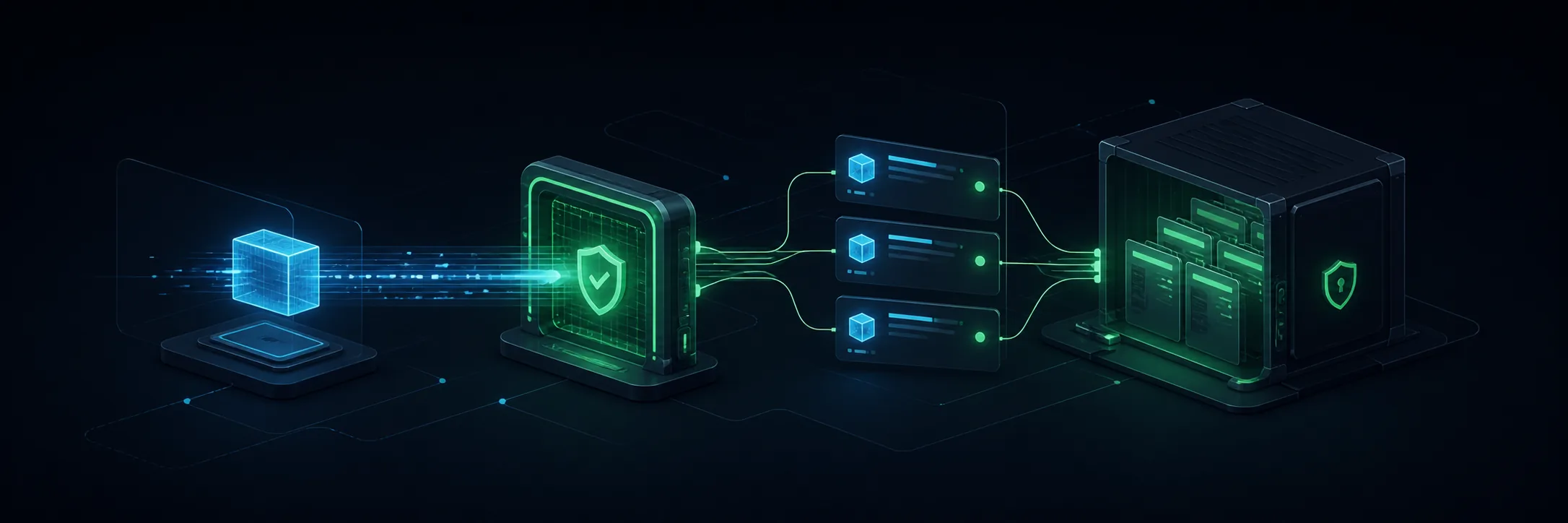
More context than a RequestBin. Less noise than scattered logs.
When a webhook fails, the issue is rarely only code. It is context: which event arrived, which repository triggered it, which payload came in, whether the signature matched, and who can see it.
For developers
Test GitHub integrations without relying on local logs, terminal screenshots, or a lost payload.
For teams
Share a debugging workspace with common history and events separated by source.
For GitHub Apps
Investigate events by installation, repository, and delivery without losing the sanitized original payload.
Understand the event before diving into JSON.
Local analysis summarizes repository, source, branch, commits, and changed files. It highlights risk signals and suggests next steps without blocking webhook delivery.
Push received in acme/api on the main branch. Three commits changed authentication and a migration.
- Confirm the migration and rollback strategy.
- Review the impact on the login flow before automation.
From registration to the first webhook in minutes.
Create an account
Registration creates a private workspace with its own endpoint and secret. Each user sees only events in their workspace.
Configure GitHub
In the repository, add the dashboard Payload URL, choose application/json, and paste the workspace Secret.
Follow it in the dashboard
When push, pull_request, issues, or workflow_run is sent, the event appears with its payload, timestamp, and validation.
Payloads can contain sensitive data. Privacy must be the default.
Workspace per account
Events are filtered by the authenticated workspace. One developer cannot see another developer’s webhooks.
GitHub signature
The endpoint accepts X-Hub-Signature-256 using the Secret configured in the repository.
Secret rotation
If the secret leaks, the dashboard lets you generate another and update the integration.
Create a workspace and connect your first GitHub repository.
Start on the free plan, copy your endpoint and Secret, and validate the first delivery in a private workspace.
An independent product built from real problems with webhooks, GitHub integrations, and failure investigation.
Maintainer GitHub